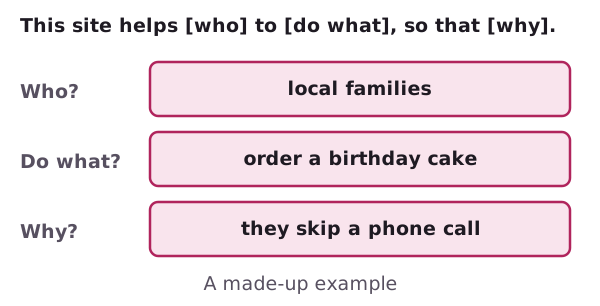
Before you design
Decide what the site is for, then list the pages it needs.
 Pages Before Pixels8 checks
Before doing anything else, a site needs an idea of what it should do.[1] That's the job of a plan.
This guide takes you through it step by step, with a pen and paper. No software needed.
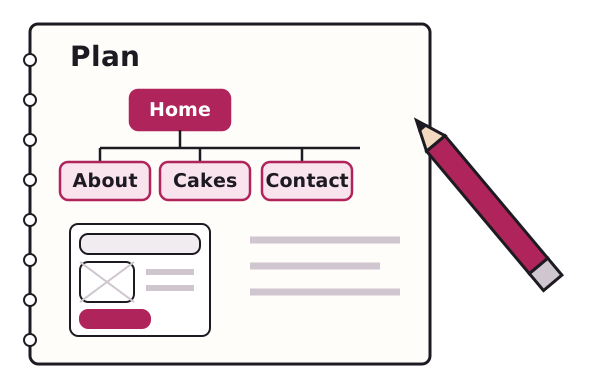
Three pages cover the ground you need first.
Decide what the site is for, then list the pages it needs.
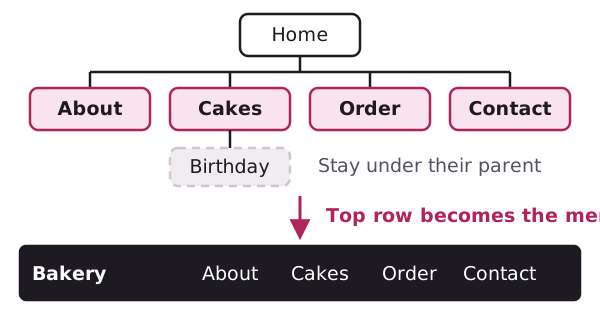
Turn the page list into a menu, and decide what the key pages hold.
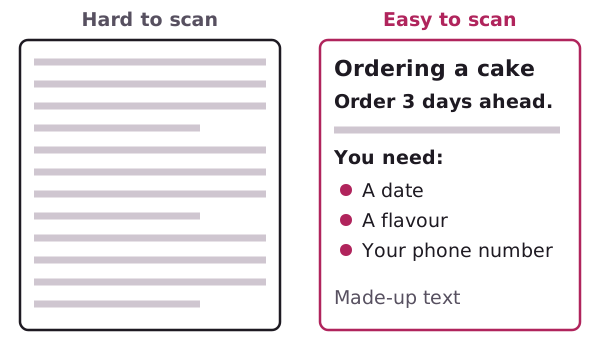
Write copy that's easy to skim, and collect the files you need.
A sitemap is a list of the pages of a website.[2] Drawing one on paper shows you what to build.
A wireframe is a visual guide to the skeleton of a website.[3] It's a rough sketch made of boxes and labels.
No. MDN's beginner course suggests you grab pen and paper and sketch out the site.[1]