 Pages Before Pixels
Decide what the site is for and who it's for
Last reviewed
The short version
- Write one sentence that says what the site is for.
- Name the people who will visit.
- List what each of them wants to do.
- Later, test every page idea against that list.
One sentence for the whole site
Before you think about colours or logos, finish this sentence:
This site helps [who] to [do what], so that [why].
It's a plain version of the three-part template that GOV.UK uses for user needs.[1] Their template has three parts: who the user is, what they need to do, and why.[1]
Here's a made-up example for a small bakery at example.com.
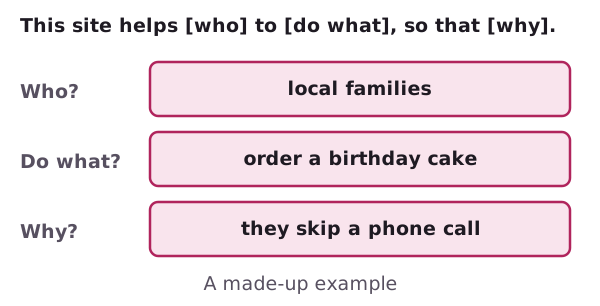
It's short, and you can check it. A "birthday cake order form" fits. A page of baking jokes doesn't.
Who is it for?
Think about real people, not "everyone". GOV.UK's guidance puts it this way: people come to a site to finish a certain task.[1]
A group can be broad. One visitor type doesn't have to mean one person.[1] Parents, aunts and office managers might all want to order a cake. Their need is the same, so they count as one group.
If groups want different things, write a separate line for each.[1]
Digital.gov suggests asking yourself a few questions about your audience:[2]
- Who is my audience?
- What does my audience already know about the subject?
- What does my audience need to know?
- What questions will my audience have?
Write the answers in your notebook. Short answers are fine.
Tasks, not topics
Say what people want to do. Don't just list what you want to talk about.
GOV.UK builds its content around actions and tasks.[1] Its guidance says every piece of published content should meet a valid user need.[1] You can borrow the idea for a small site.
Here is the bakery again, as a table of visitors and tasks.
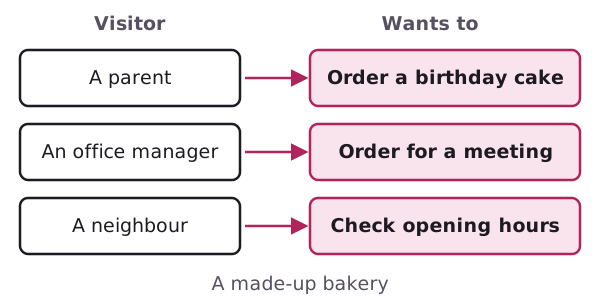
"Look at prices" is a task. "Our story" is a topic. Both can matter, but tasks come first.
Digital.gov gives a simple rule for the words you choose too. The first rule of plain language is to write for your audience.[3]
Use the sentence as a filter
Now every idea gets one question: does it help someone do one of those tasks?
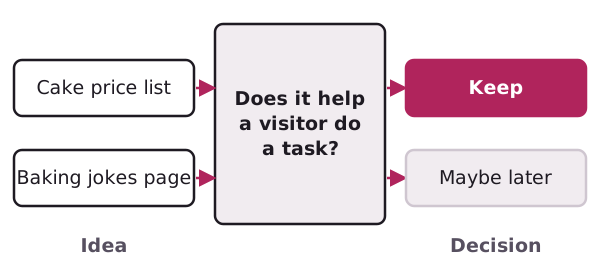
If yes, keep it. If not, park it on a "maybe later" list. Parking is not failing. The site can grow after it launches.
Pick one main goal
Besides what visitors want, you want something too. Maybe you want orders, bookings or sign-ups. Choose one main goal and write it at the top of the page.
You'll use it again when you draw the sitemap.
Sources
- Identify user needs, GOV.UK content and publishing guidance (accessed 2026-11-01)
- Organize the information, Digital.gov (US General Services Administration) (accessed 2026-11-01)
- Principles of plain language, Digital.gov (US General Services Administration) (accessed 2026-11-01)